💻 In-Browser Terminal & Remote AI Coding Harnesses
Manage your remote machines and developer workspaces straight from any browser or mobile device — with no router port forwarding, no public IP, no DDNS, and no third-party VPN tunnels.
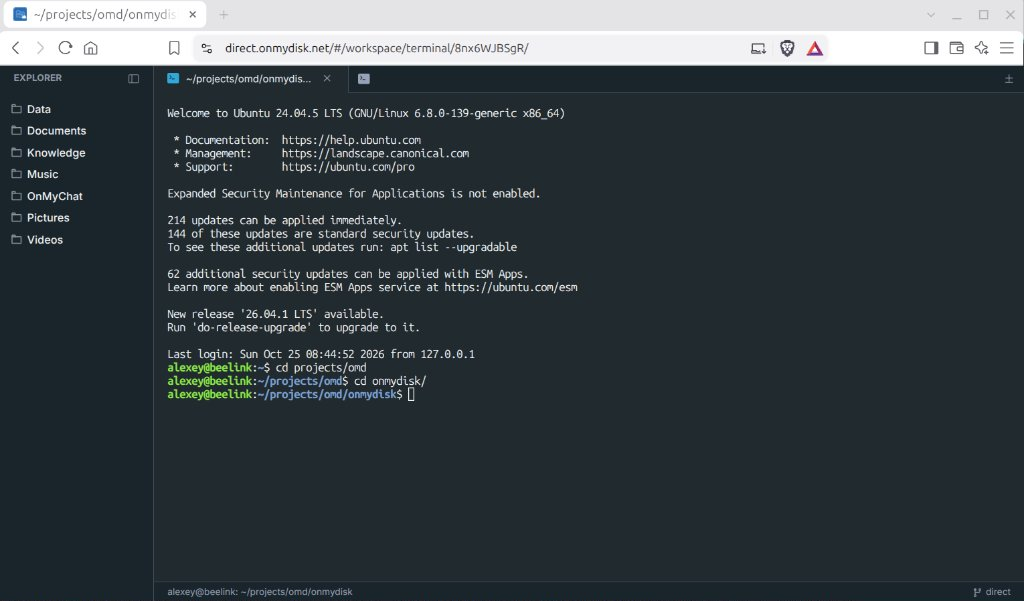
Instead of locking you into a custom wrapper for a single coding tool, On My Disk Direct embeds a full P2P SSH Terminal Workspace directly in the web client. Connect over encrypted WebRTC DataChannels (xterm.js + libssh2 WebAssembly) straight to your Always-On Node, run builds, administer systems, and launch any autonomous CLI/TUI AI coding harness right where your repositories and compute live.
1. Run Any Autonomous AI Coding Harness
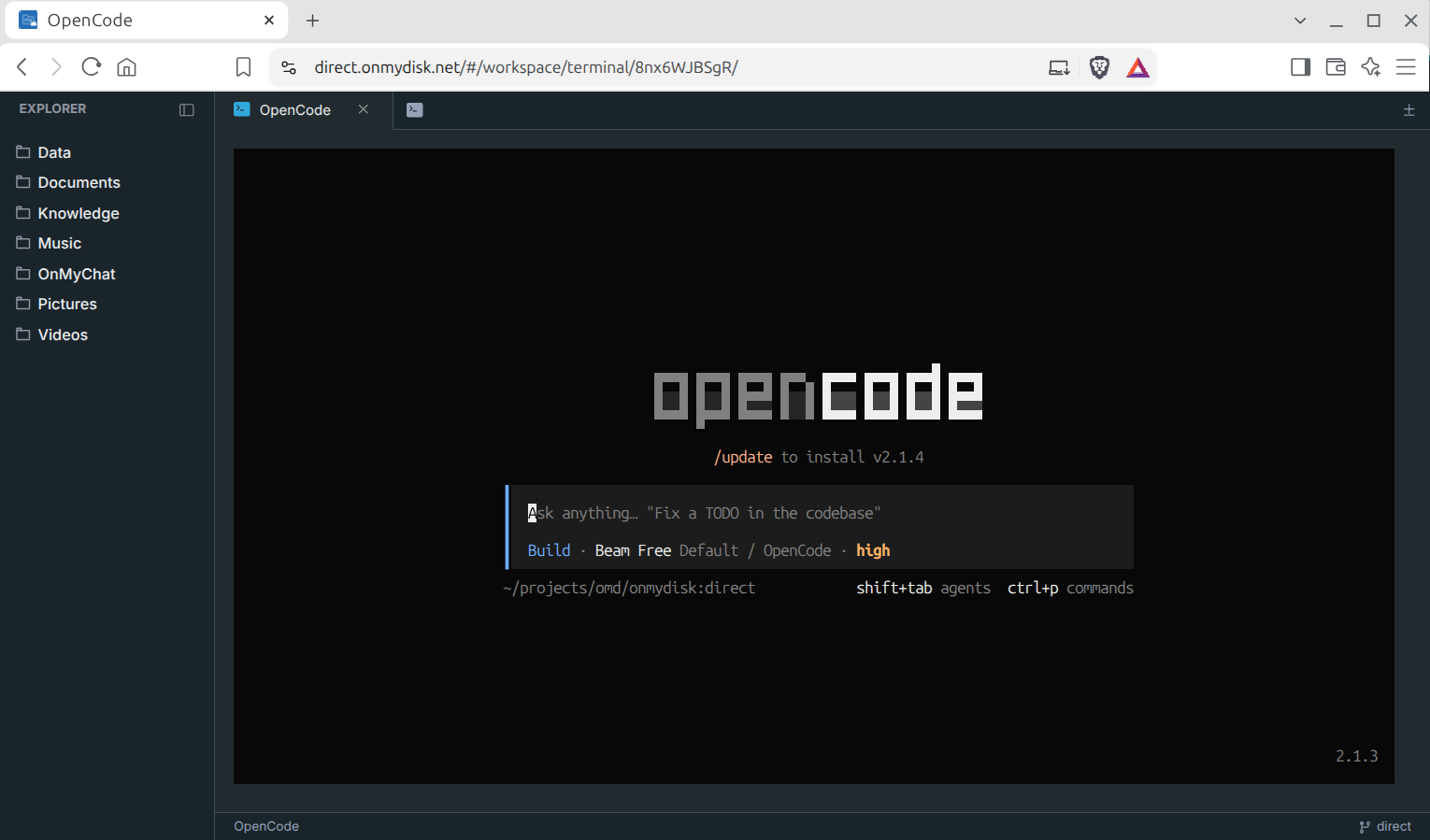
Because the terminal runs a real, interactive SSH session directly on your Linux or Windows node, every modern terminal-based coding agent works out of the box with full 24-bit color, keyboard shortcuts, and zero lag:
- OpenCode (
opencode) - Claude Code (
claude) - OpenAI Codex CLI (
codex) - Aider (
aider) - Hermes and any other TUI / CLI agent, shell workflow, or
tmux/zellijsession
Persistent Agent Sessions with
tmux: Start your coding agent insidetmux new -s devon your home workstation from your laptop browser, close the tab, and re-attach (tmux attach -t dev) later from your tablet or phone over P2P while the agent keeps working locally on your repository.
Local, Tunneled, or Cloud Models
Your coding harness runs on your own OS environment, so you choose what powers it:
- 100% Offline Local LLM: Point
opencodeoraiderat local Ollama (http://127.0.0.1:11434, e.g.qwen2.5-coderorgemma4). - Zero-GPU Laptop via Agentic P2P: Point your local harness at the P2P inference forwarder (
http://127.0.0.1:21434) to use a remote GPU node over WebRTC. - Cloud Frontier APIs: Use your own Anthropic, OpenAI, or Gemini keys while keeping source code, git history, test runners, and build artifacts purely on your home machine.
2. Workspace Features & Node Requirements
- Integrated File Explorer + Multi-Tab SSH: Browse your node’s shares in the left Explorer panel, open multiple concurrent terminal tabs (
+), and monitor live P2P connection status (P2P direct) in the status bar. - Requirements:
- An Always-On Node installed and paired to your account (
onmydisk-connectoron Linux orOn My Disk Nodeon Windows — see Node Deployment & Modes). - A local SSH server listening on port
22:- Linux (
Ubuntu / Debian):sudo apt update && sudo apt install -y openssh-server sudo systemctl enable --now ssh - Windows 10 / 11 (Administrator PowerShell):
Add-WindowsCapability -Online -Name OpenSSH.Server~~~~0.0.1.0
Set-Service -Name sshd -StartupType Automatic
Start-Service sshd
- Linux (
- An Always-On Node installed and paired to your account (
3. Desktop IDEs (omd-tunnel) & MCP Integration
- Remote-SSH from Desktop IDEs (
VS Code,Cursor,Antigravity): Use the standaloneomd-tunnelCLI (included with Windows installs and packaged for Linux) to expose your remote node’s SSH port locally without opening firewall ports:omd-tunnel --listen 22222 <target-node-linkID> 22 ssh -p 22222 user@127.0.0.1 - Connect Coding Agents to On My Chat MCP (
mcp_server.py): Register/opt/onmychat/mcp_server.pyas a standard STDIO MCP server inOpenCode,Claude Code,Claude Desktop,Cursor, orAntigravityto give your coding agent direct access to your On My Disk shares, semantic Memory Cards (search_memory), WordCraft / GridCraft / DeckCraft document generators, and Plane.so project tasks.